

dLocal
To ensure an accurate ROI analysis, Justt requires your chargeback data exactly as received from the PSP. The required data for a full analysis should be provided in a CSV file containing the following parameters:
How to get them?
Step 1: Login to dLocal using your credentials at this link: https://dashboard.dlocal.com/login.
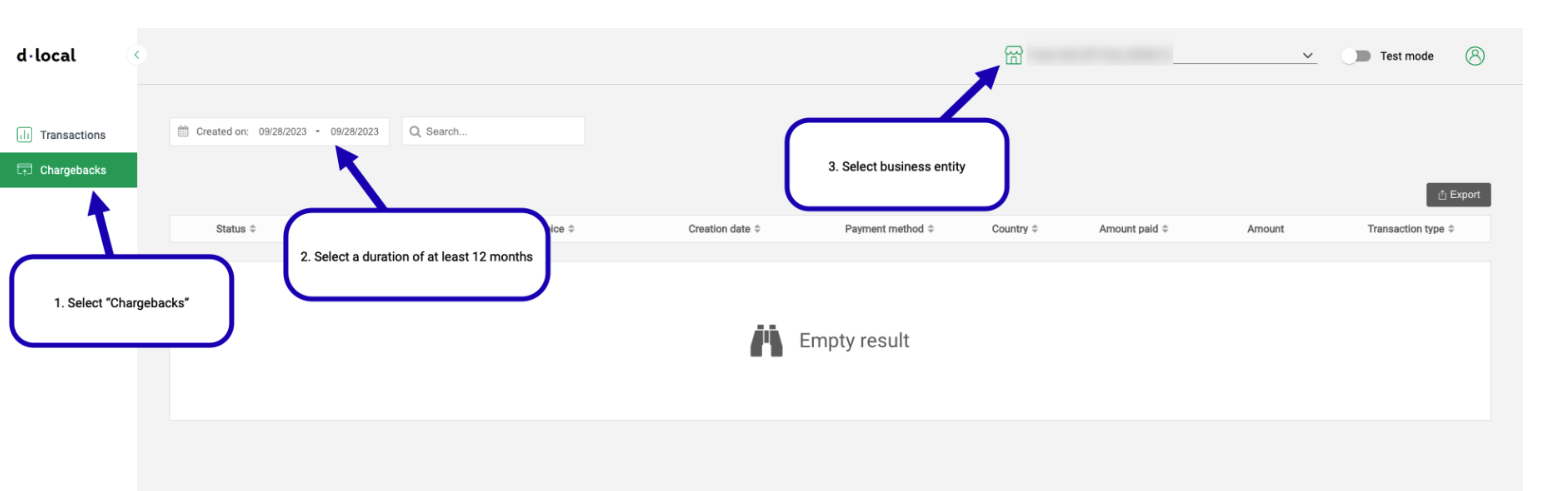
Step 2: Select "Chargebacks", a duration of at least 12 months, and a business entity:
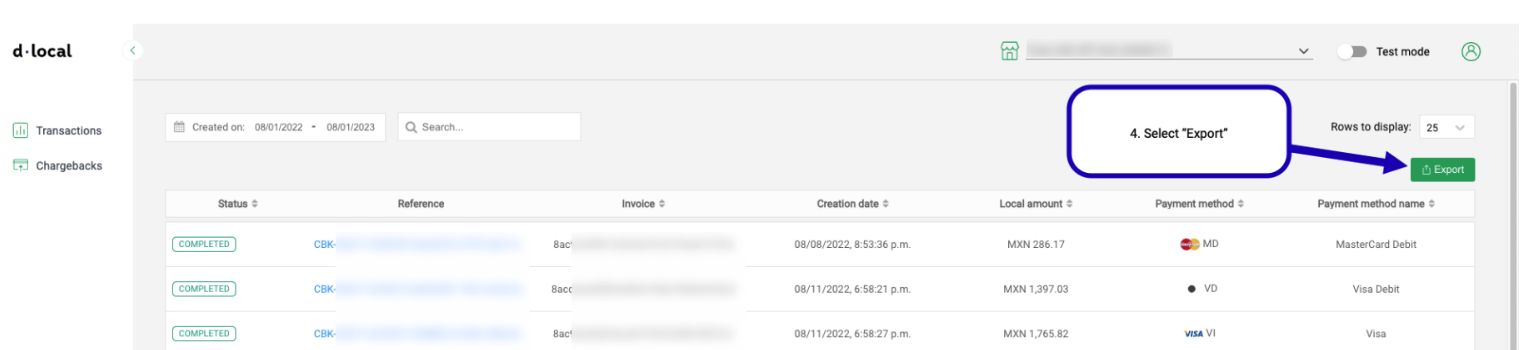
Step 3: Select "Export":
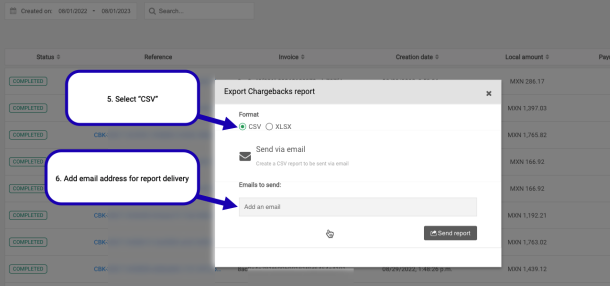
Step 4: Select CSV and enter an email address to receive the report:
That’s it! 👏
Please send the downloaded file to your Justt POC
Updated 4 months ago
Did this page help you?