

Multiple Merchants Set Up - 'Reference Accounts'
If your account encompasses multiple merchants or is categorized as a partner account, you must use the API with the reference-account-id HTTP header. This header allows you to explicitly specify the merchant on which you intend to perform actions.
This requirement differs according to the scope used to create the API key:
- Entire account
If the account has only one merchant then thereference-account-idcan be omitted and that single merchant will be resolved.
However, if a new merchant is created at a later date under that account, thereference-account-idbecomes immediately required for all calls.
Recommendation: include thereference-account-idfrom the start to make the integration future-proof. - Merchant group
A group will always have at least two merchants, and in this case thereference-account-idis required to differentiate between the merchants in the group. - Specific merchant
Keys under this scope do not require areference-account-idheader, all their API calls will be bound to the merchant that the key was issued for.
To retrieve the merchant UUIDS that should be provided for a Merchant group or Entire account, go to the "Developer" section (from your Account view toolbar), visit the "API Integration" page, find the API key you want to use, hover over the scope column and press the download icon for a CSV with the merchants under that API key:
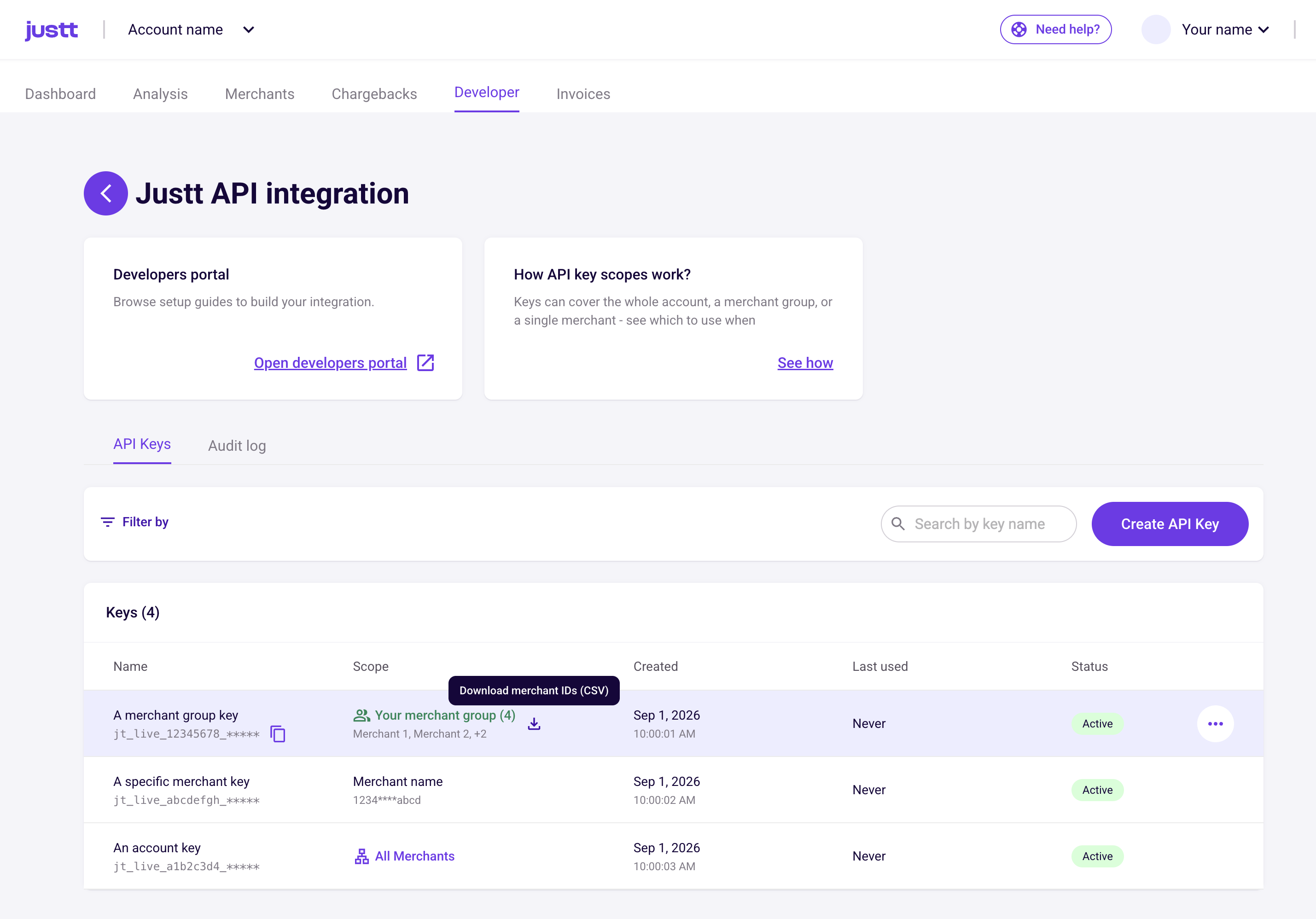
Example:
curl --request POST \
     --url https://api.justt.ai/v1/transactions \
     --header 'accept: application/json' \
     --header 'authorization: Bearer <token>' \
     --header 'reference-account-id: <merchant-id>' \
     --header 'content-type: application/json'
Updated about 2 months ago
What’s Next
Did this page help you?