

Shopify
How to provide Justt an access to your Shopify account. To enable Justt to process and manage your chargebacks, please integrate your PSP with Justt by following these steps.
We fetch data via API and submit cases by entering the portal.
Part 1: API Setup
Required Keys
1. Shop Name
2. API Key
3. Password
How to get the required keys?
Step 1: Go to Shopify
Step 2: Click on Apps in the left menu
Step 3: Click on App and Sales channel settings
Step 4: Click on Develop apps (at the top right corner
Step 5: Click on Allow custom develop app
Step 6: Click Create an app (at the top right corner)
Step 7: Set the App name (i.e. Justt)
Step 8: Click on Create app
Step 9: Click on Configure admin API scope
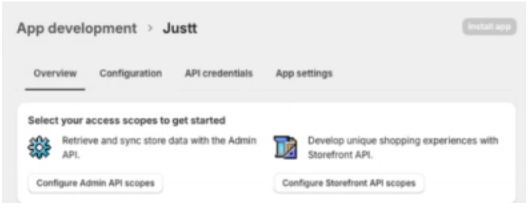
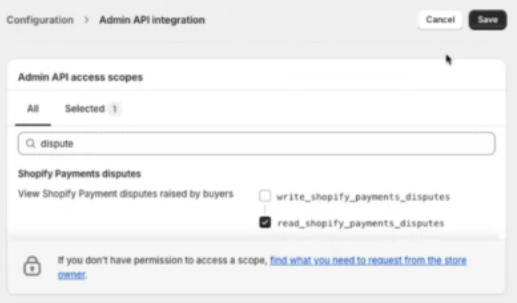
Step 10: Search and Select the following permissions, and then click save:
a. read_Shopify_Payment_disputes
b. read_shopify_payments_payouts
c. read_orders
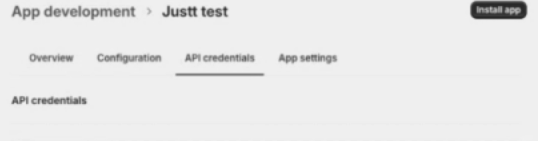
Step 11: Move to API credentials tab:
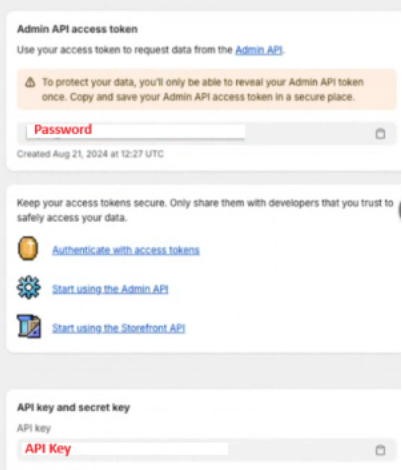
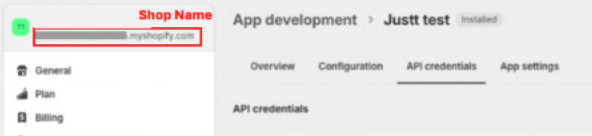
Step 12: Copy the Password, API Key and Shop name (e.g. ShoesStore.myshopify.com), and paste them into the hub in order to enable the data fetching from the Shopify API:
Part 2: Access to your account in the Shopify portal
Step 1: Go to https://admin.shopify.com/store.
Step 2: Click on Settings > Users and permissions:
Step 3: Click Add staff.
Step 4: Enter the staff members's full name and the email address ([email protected]).
Step 5: Permissions: Just will need to have access to Order and customers.
Step 6: Click Send invite and let your Justt POC know you sent an invite.
That’s it! 👏
Please insert the required keys in the hub to complete the integration process.
Updated 3 months ago
Did this page help you?