

Braintree
How to provide Justt an access to your Braintree account. To enable Justt to process and manage your chargebacks, please integrate your PSP with Justt by following these steps.
Required Keys
1. Merchant ID
2. Private Key
3. Public Key
How to get the required keys?
Step 1: Sign in to your Braintree developer portal
https://www.braintreegateway.com/login
Step 2: Click on Team and then Roles
Step 3: Click on “+New role” and name it “Justt API”
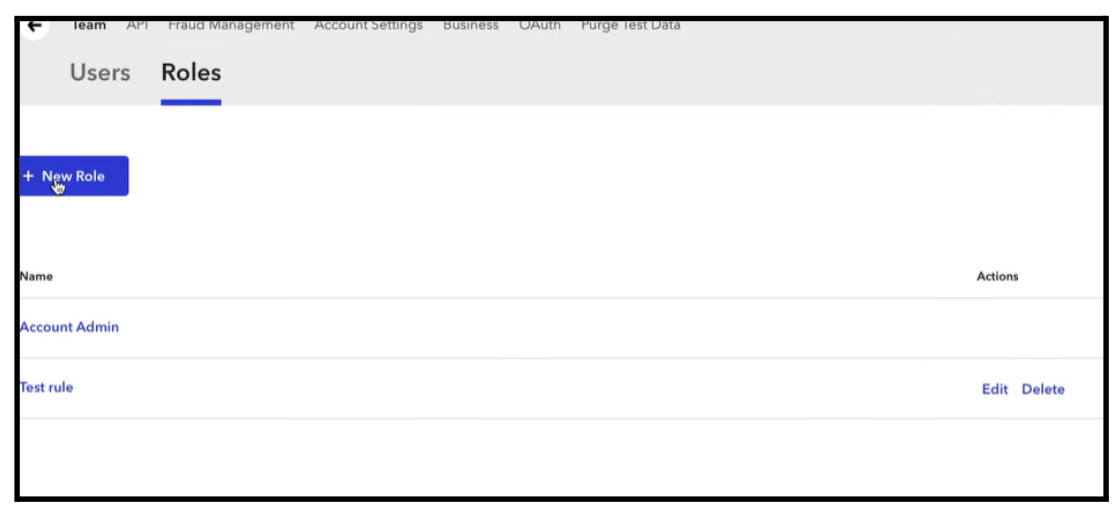
Step 4: Click on users tab
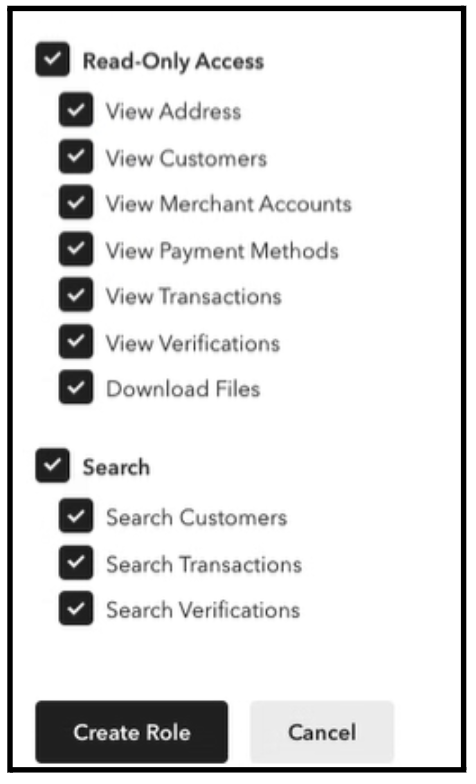
Step 5: Click on team → Users → choose your current connected user → Edit

Step 6: Make sure these 3 checkboxes are checked
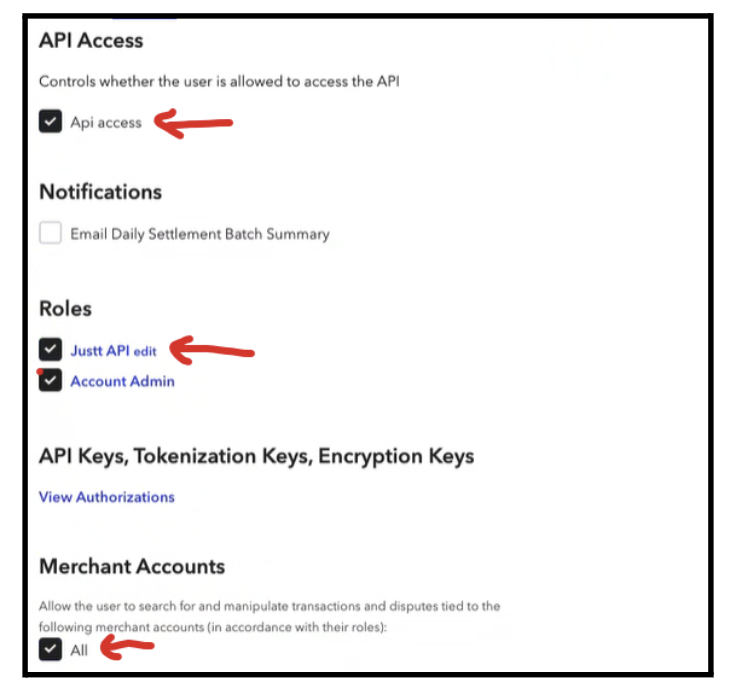
Step 7: Save
Step 8: Get the required keys:
1. Click on API Keys

2. Click on “Generate new API key”
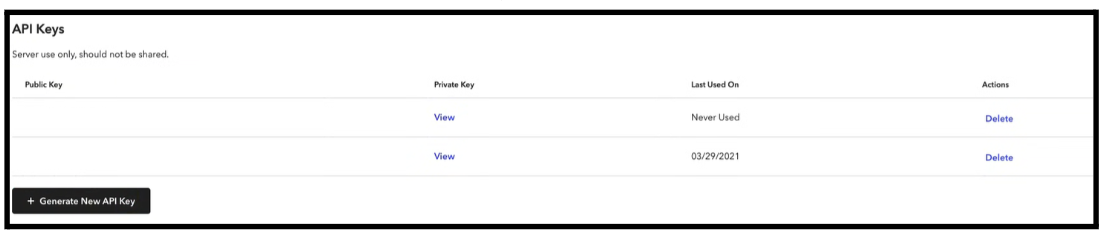
3. Copy the Public key, Private key and Merchant ID
That’s it! 👏
Please insert the required keys in the hub to complete the integration process.
Updated 3 months ago
Did this page help you?